What weighs 2.75 lbs (1.25 kg), has 3 PCMCIA Slots (2 x CardBus, 1 x PC Card), an active-matrix TFT color display, built-in Sound Blaster-compatible sound, an HDD, a plethora of ports (PS/2, Serial, Parallel, Video, Floppy, Headphone, Microphone, and Infrared – all full-size, no dongles required), a Pentium with MMX, AND runs off of TWO still-readily-available camcorder batteries?
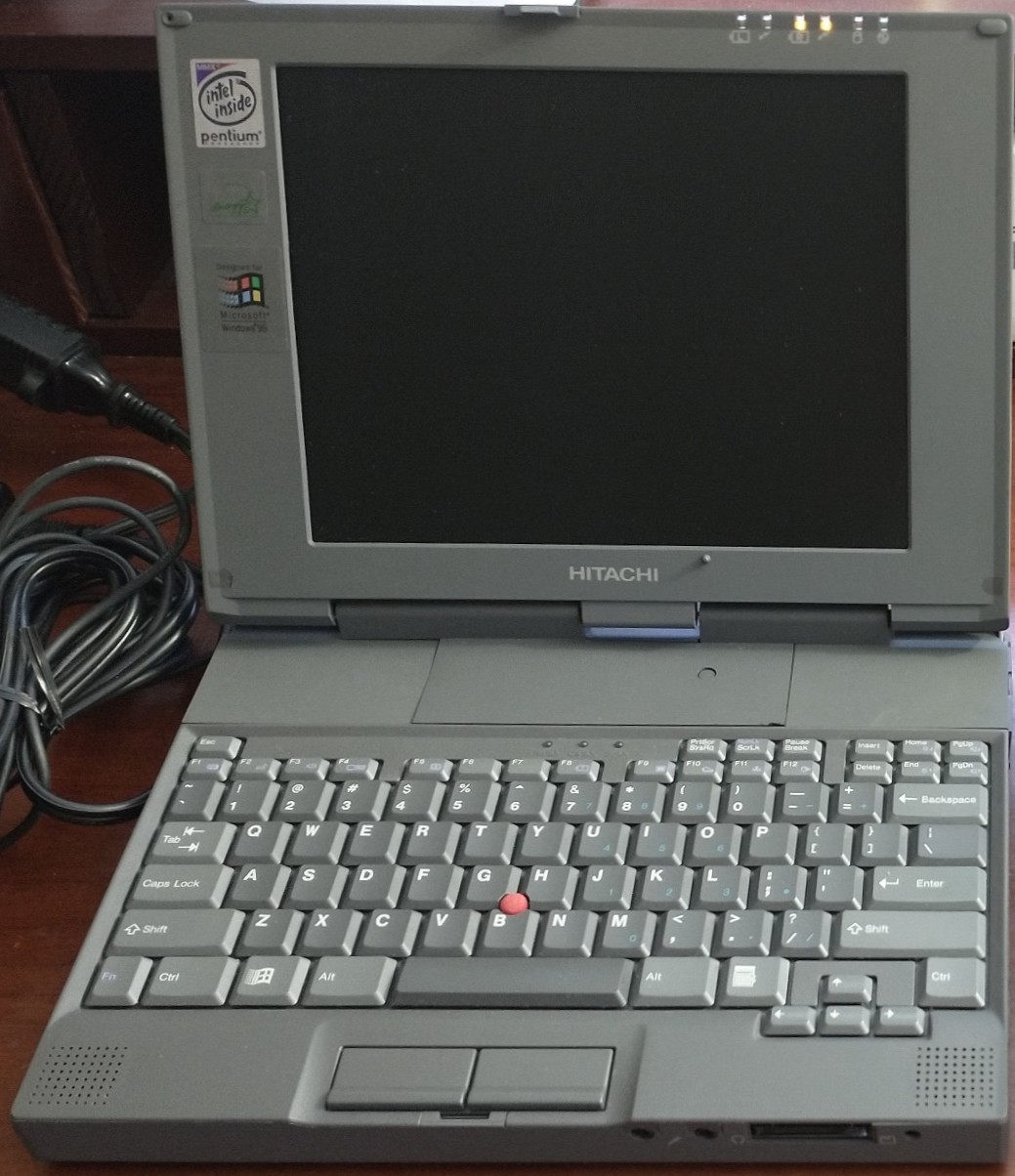
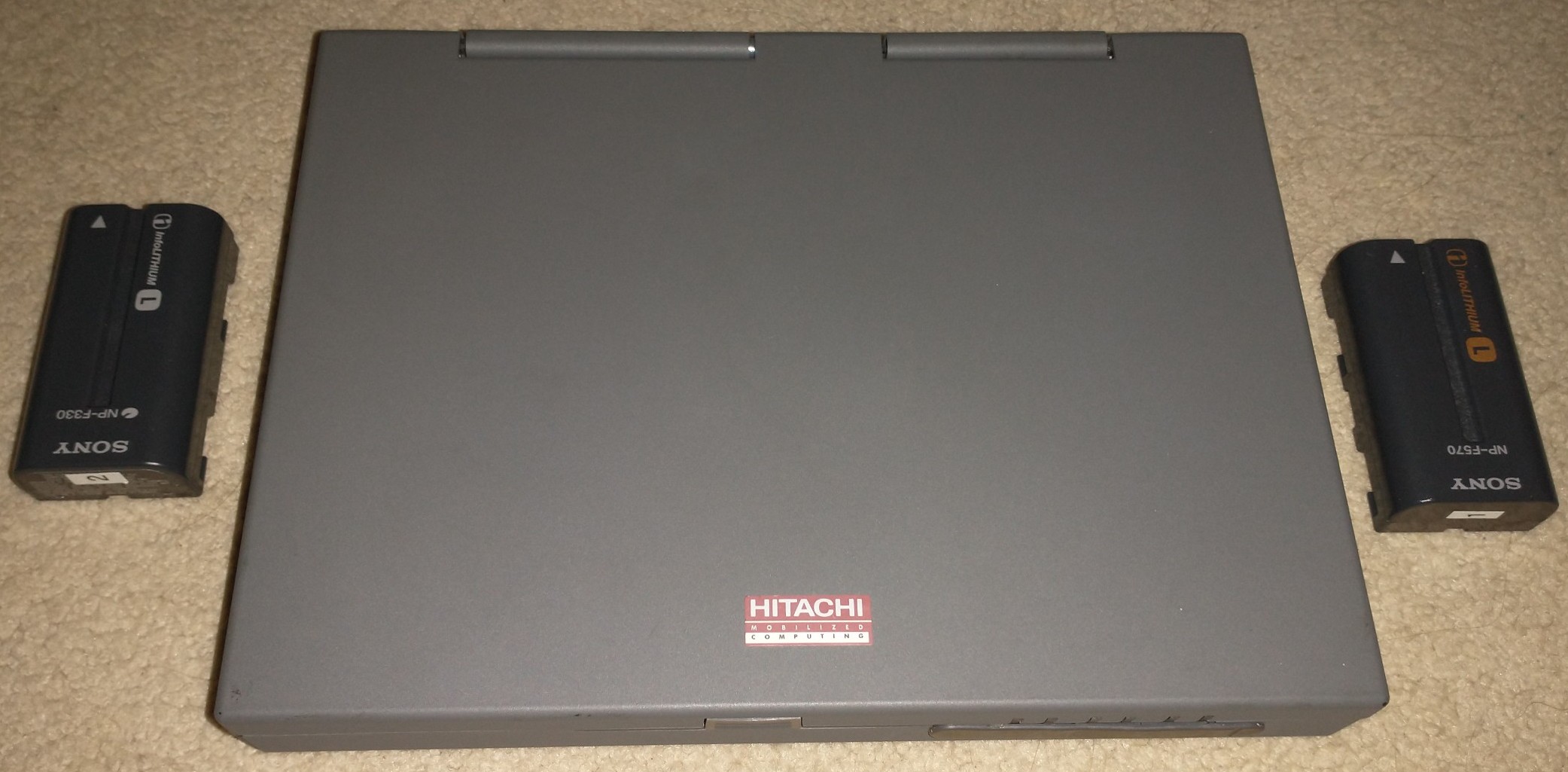
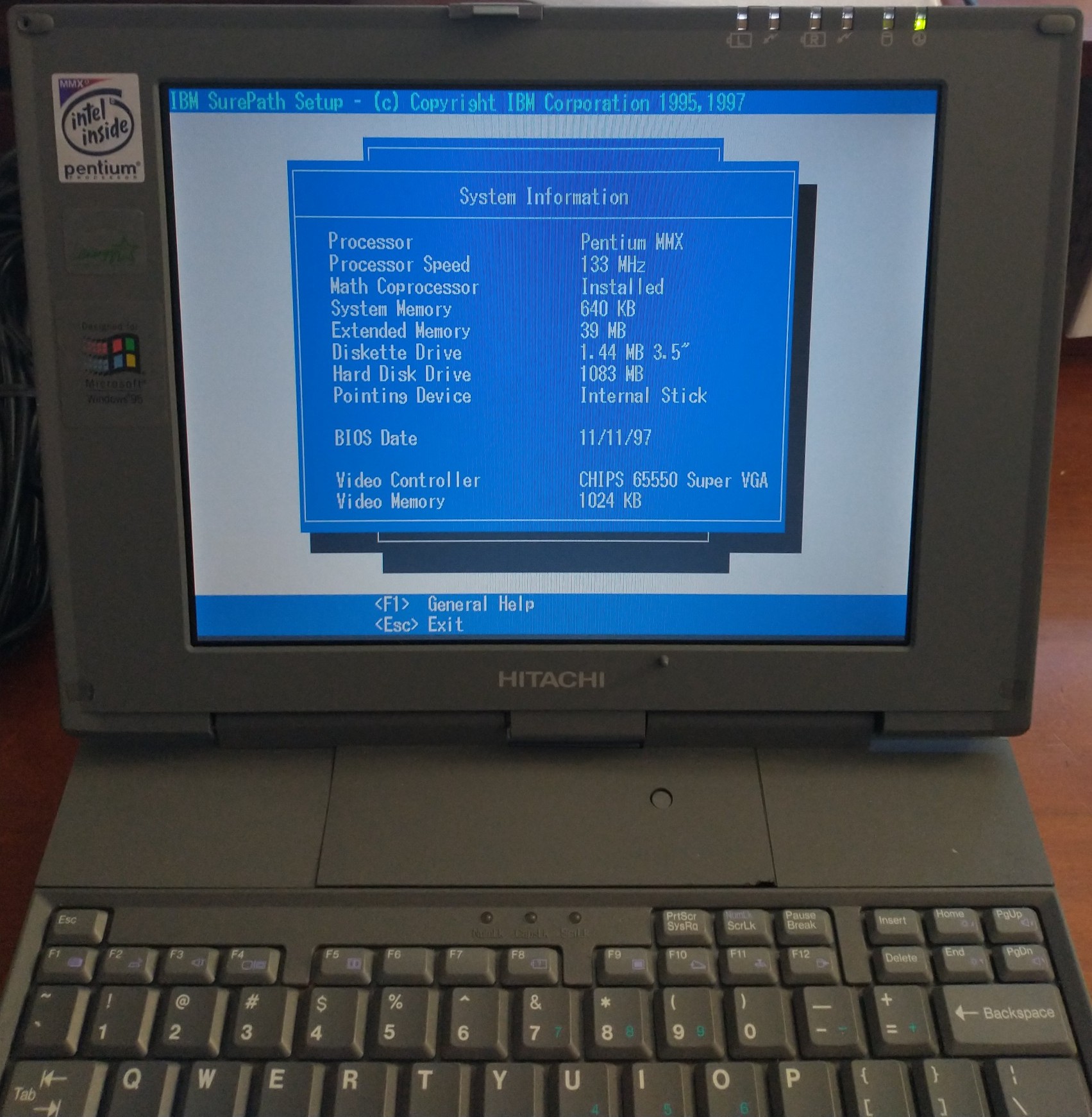
This subnotebook is known internally as “Chandra”, but it was marketed as the following models throughout Japan and America:
- Hitachi Flora Prius 210
- Hitachi VisionBook Traveler
- RICOH NP-40, NP-30J
- Frontier RT-21V
- Nimantics Persona
- CPC T-120
- Opti Talisman (UK)
There were also upgraded versions, known as “Clavius”:
- IBM ThinkPad 235
- RIOS Clavius
- Epson Endeavor TK-300
(Note: The “RIOS” above refers to the name of the joint venture between Ricoh and IBM of Japan.)
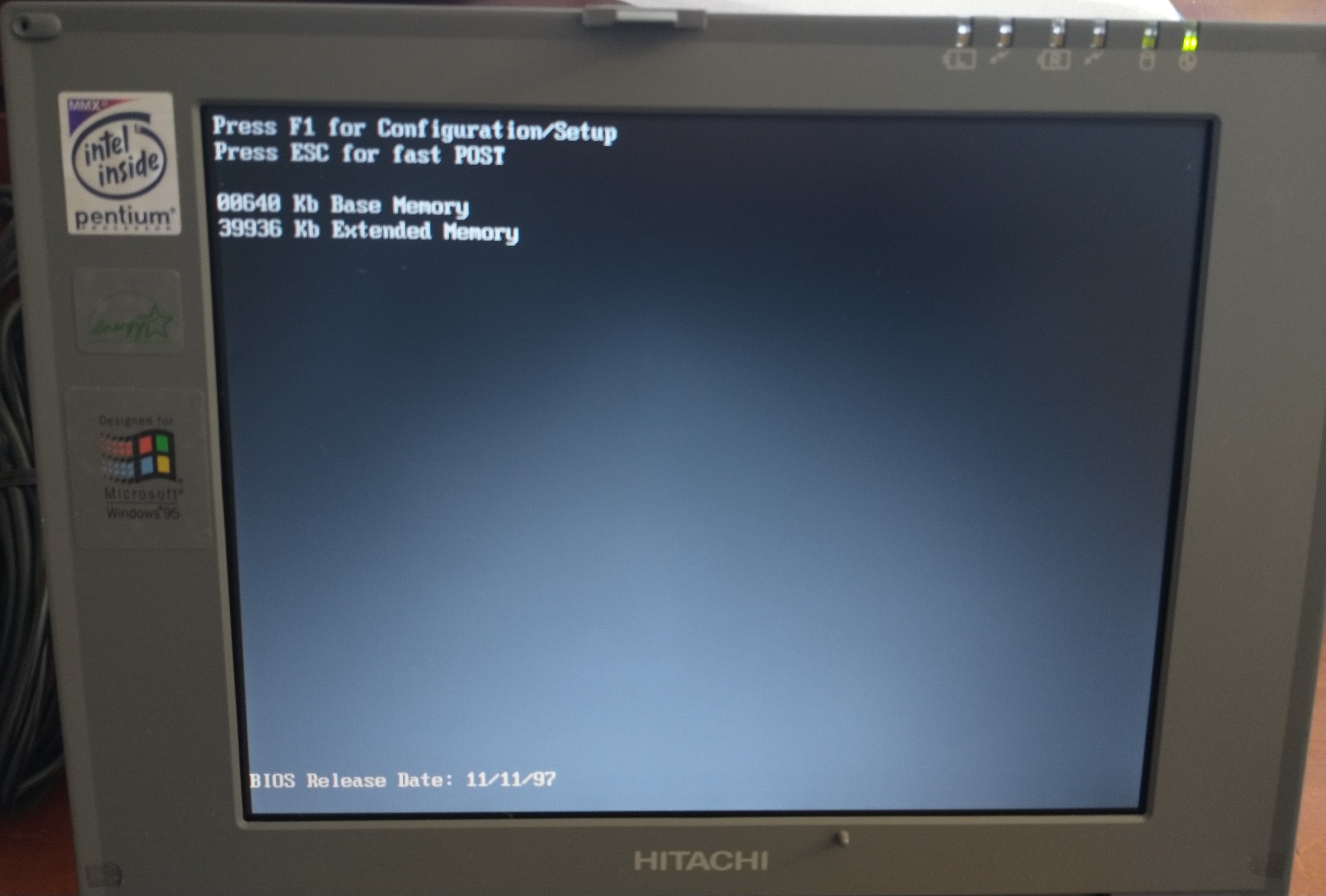
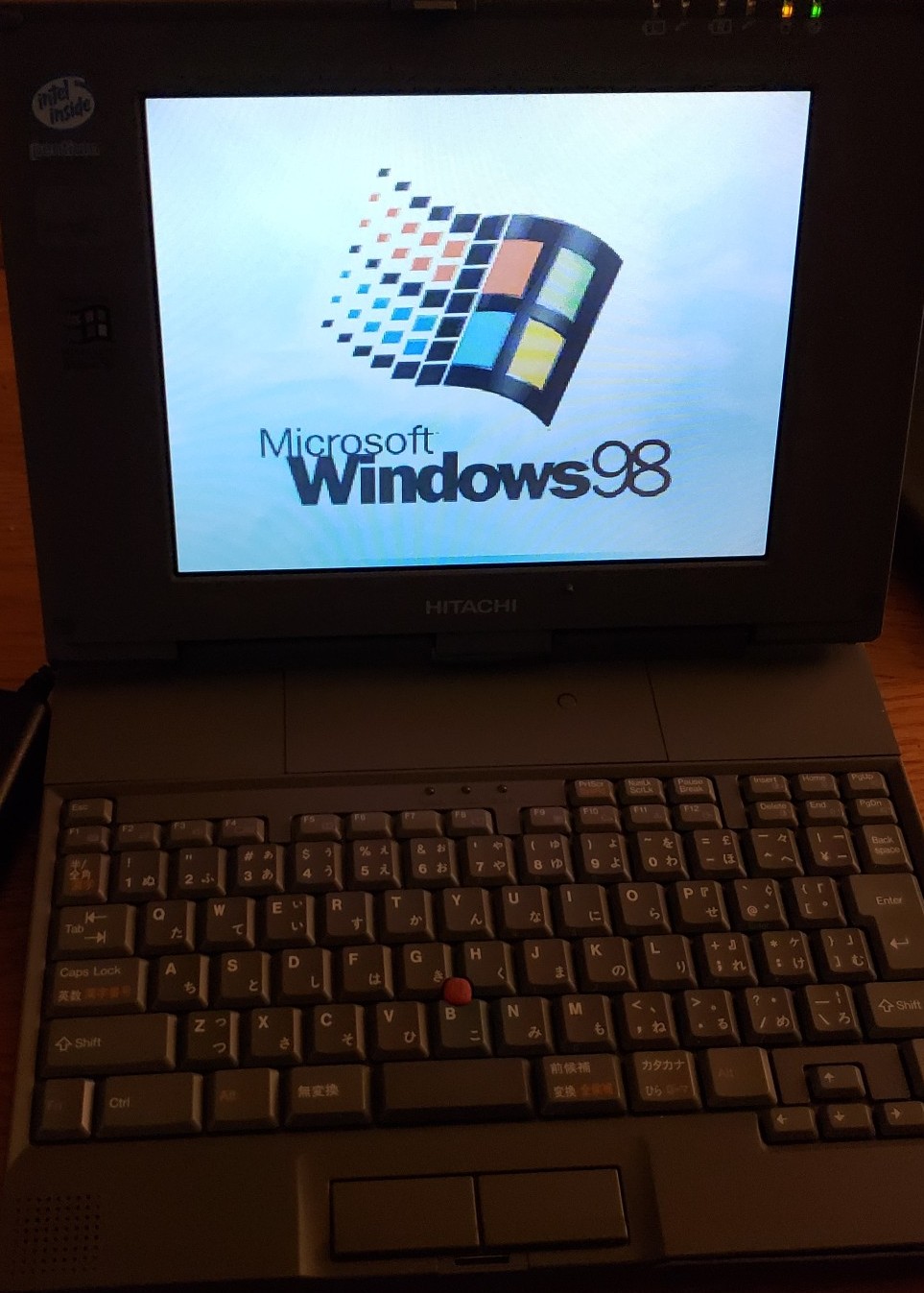
To add even more confusion, there were variations of each of these models. For example, even in the Hitachi lineup, I have two submodels – one is the Japanese Hitachi Flora 210 variant (120MHz Pentium and Passive-Matrix LCD), and one is the English (US) VisionBook Traveler variant (133MHz MMX Pentium and Active-Matrix LCD).
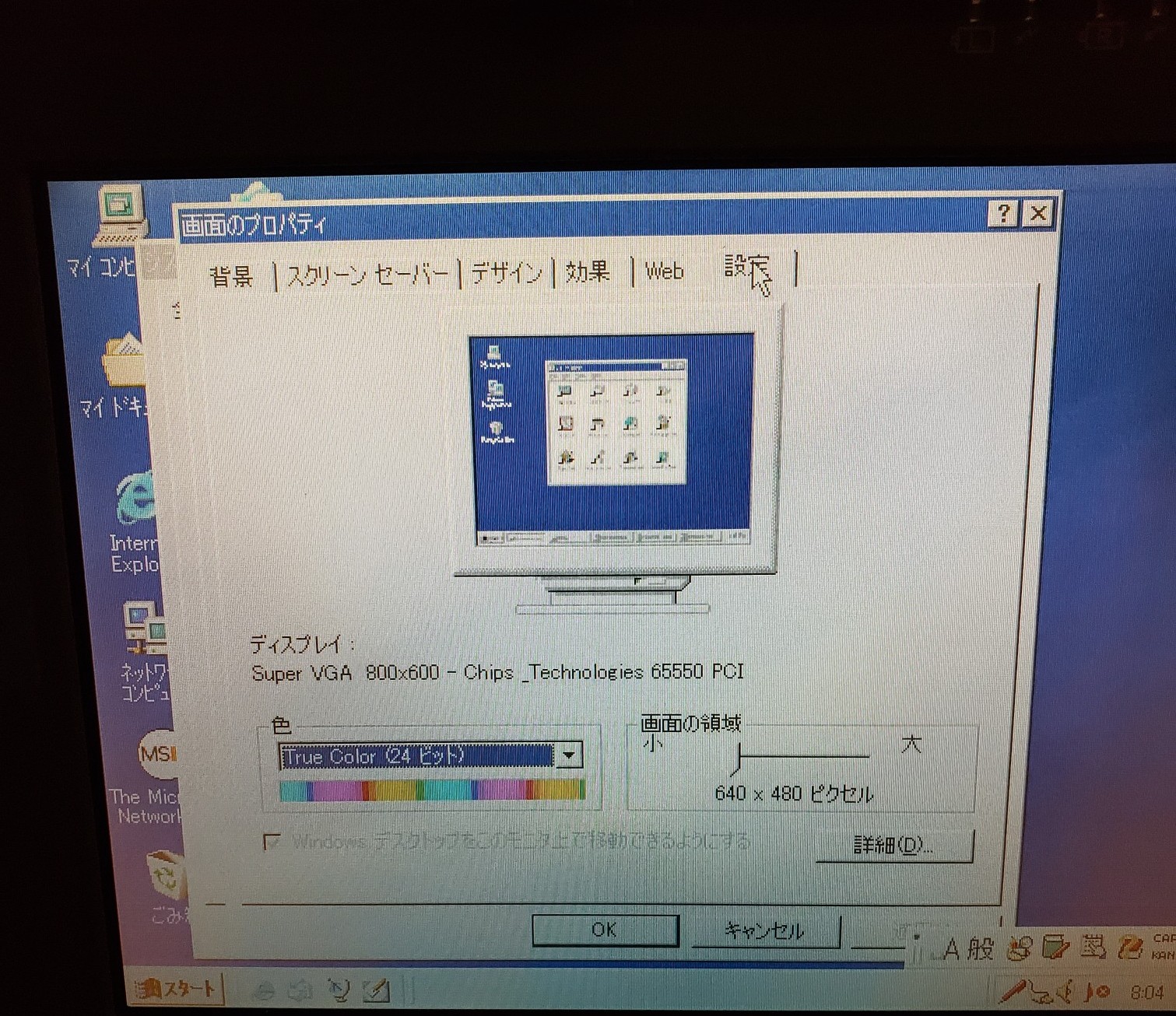
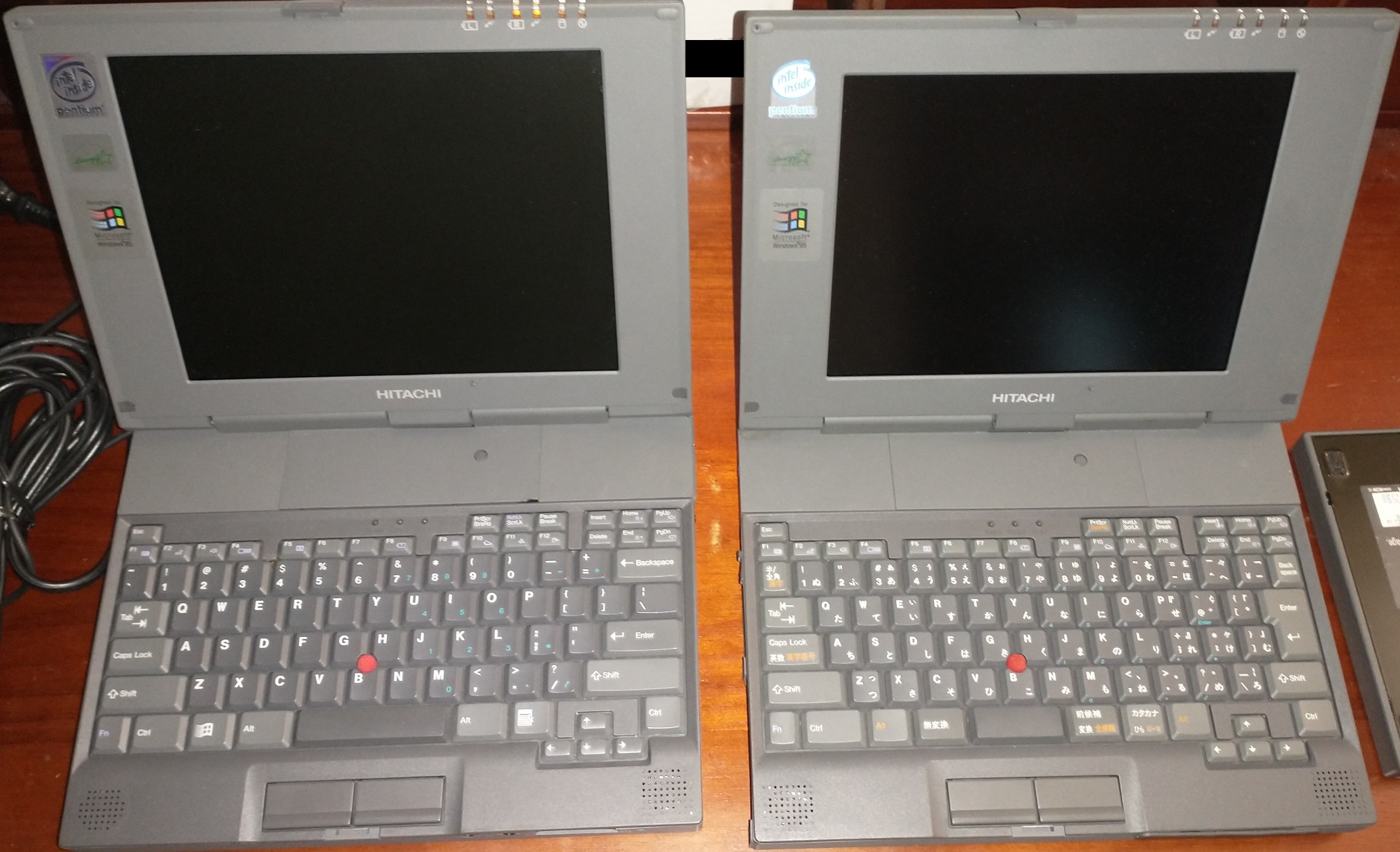
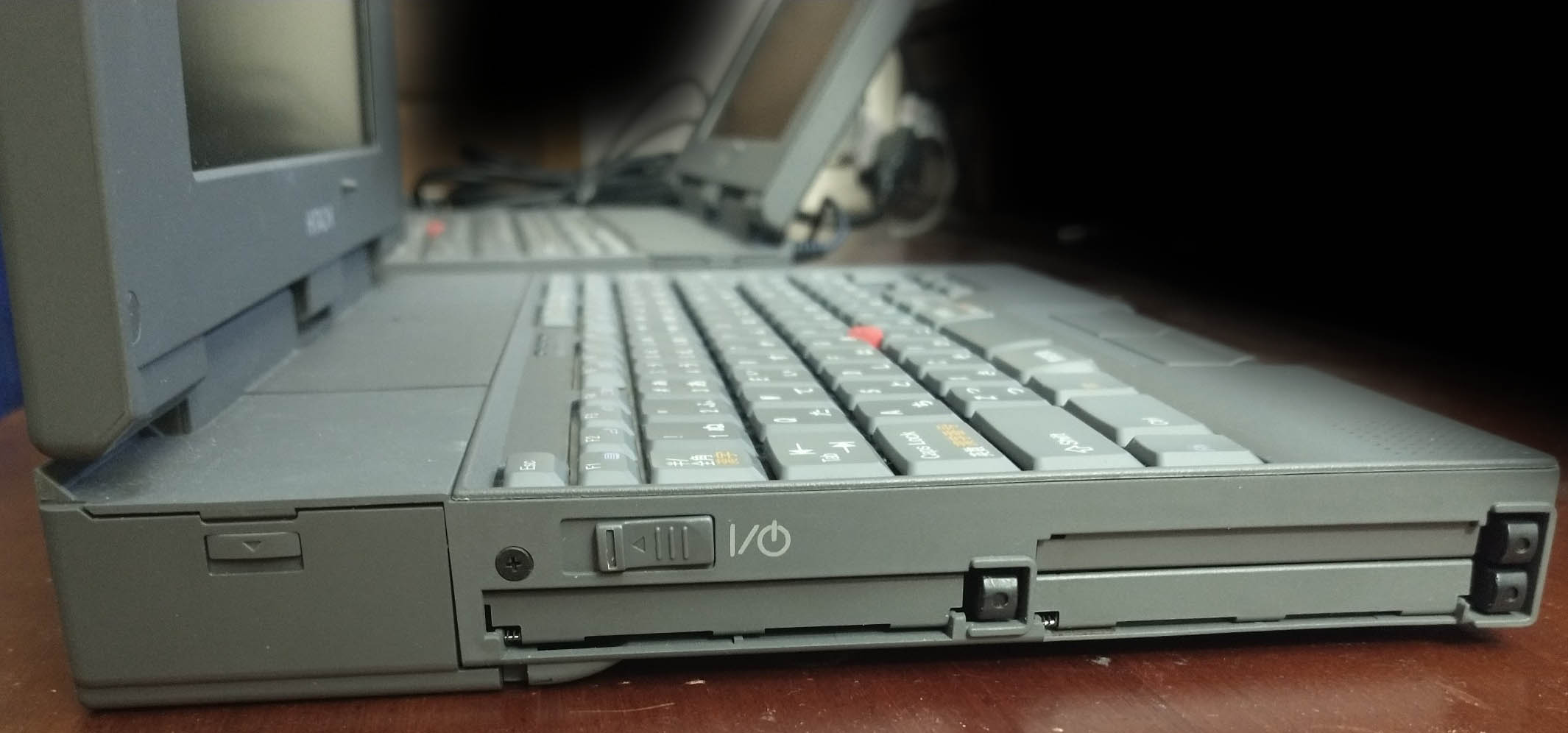
(The Japanese submodel, the Flora, is on the right – note the difference in keyboard layout)
(Note: there is a built-in microphone in the upper-left hand corner of the screen bezel on both submodels!)
From using this wonderful device, I’ve noticed a lot of similarities to the IBM PC 110. Chandra seems to be a successor to the PC 110 in a lot of ways: It has a similar sliding power switch, takes the same exact camcorder battery (albeit two of them), and has a very similar keyboard layout. According to Basterfield’s PC110 Page, it’s possible Chandra actually WAS intended to be a successor to the PC 110.
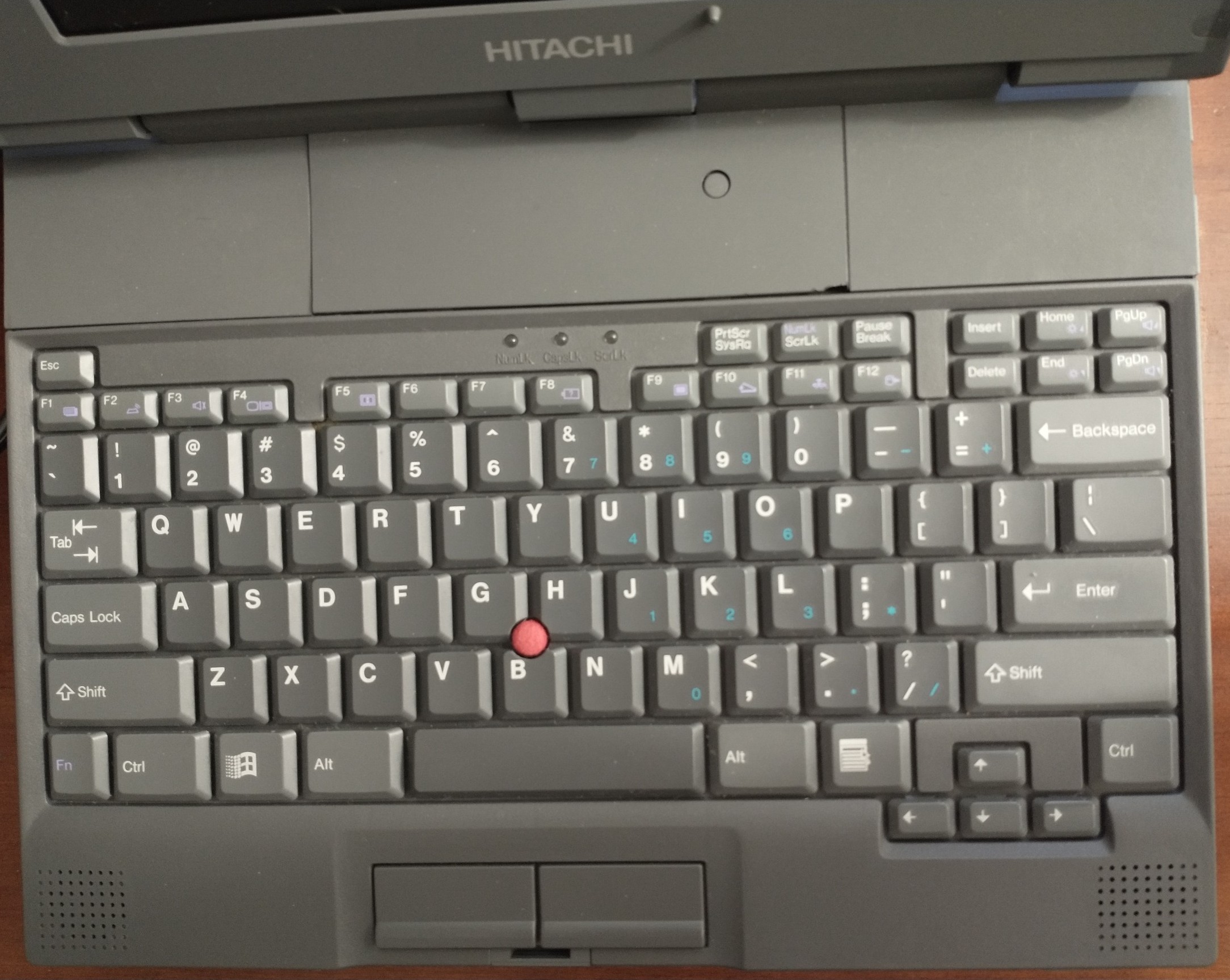
Typing on this laptop is not an issue, as the keys are both larger and more tactile than the IBM PC 110’s. So far, I haven’t had trouble typing above 60 WPM for extended periods of time without errors. Additionally, as shown in the pictures above, the keyboard has a full 7-row ANSI/JIS layout (8 rows if you include the lower three arrow keys), as opposed to the 6-row (often non-standard) layout that many laptops in the last decade have sported.
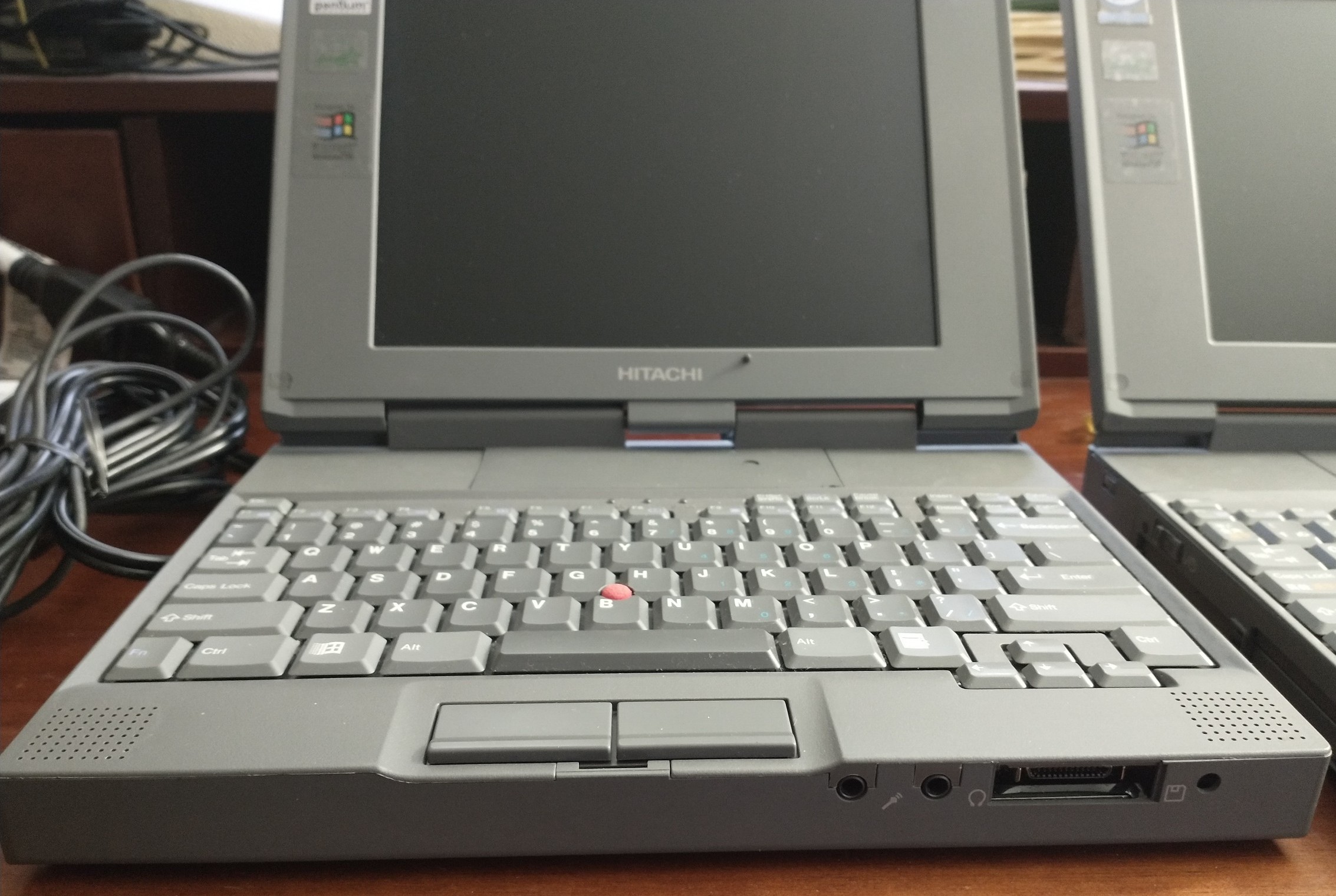
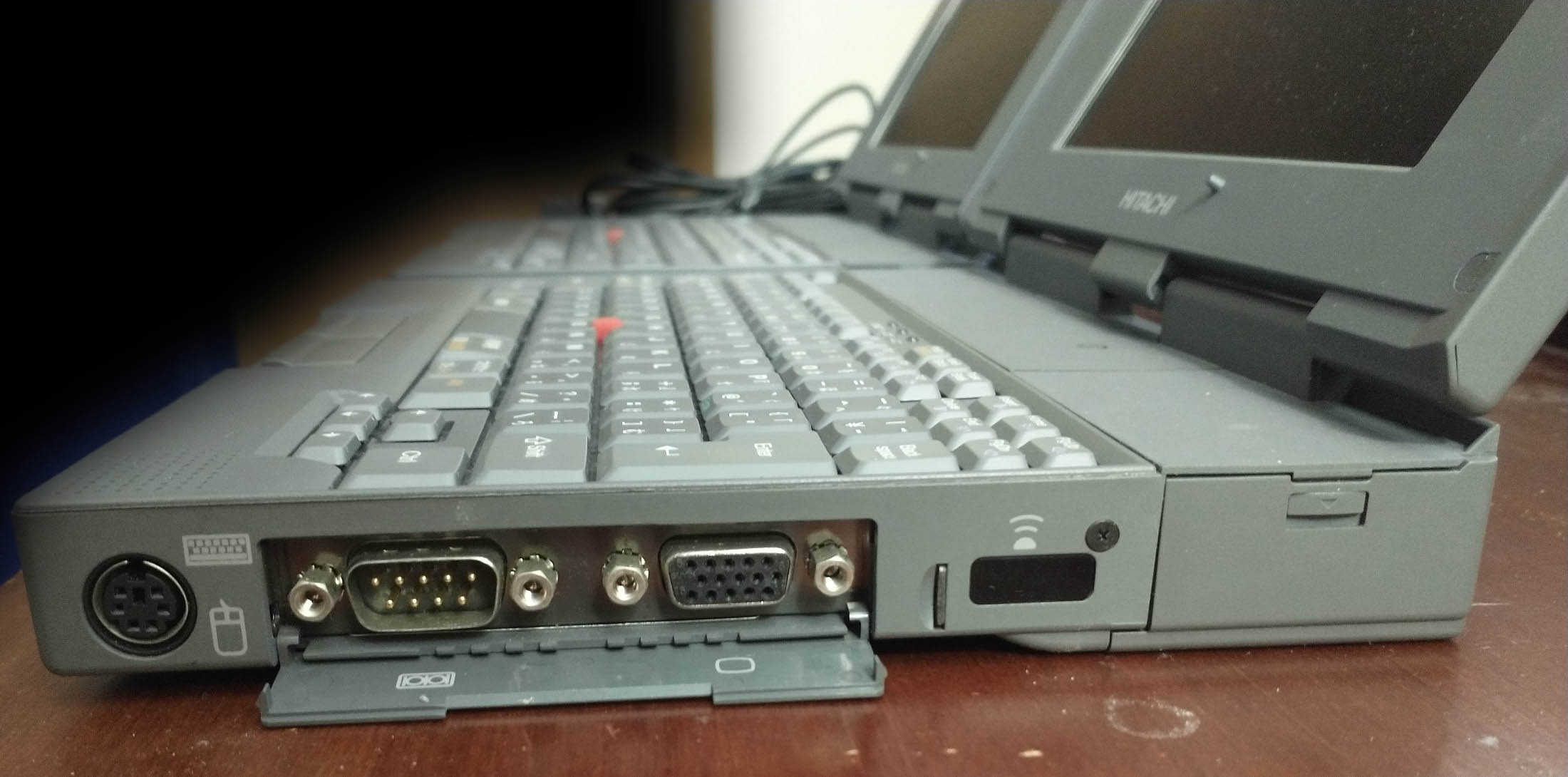
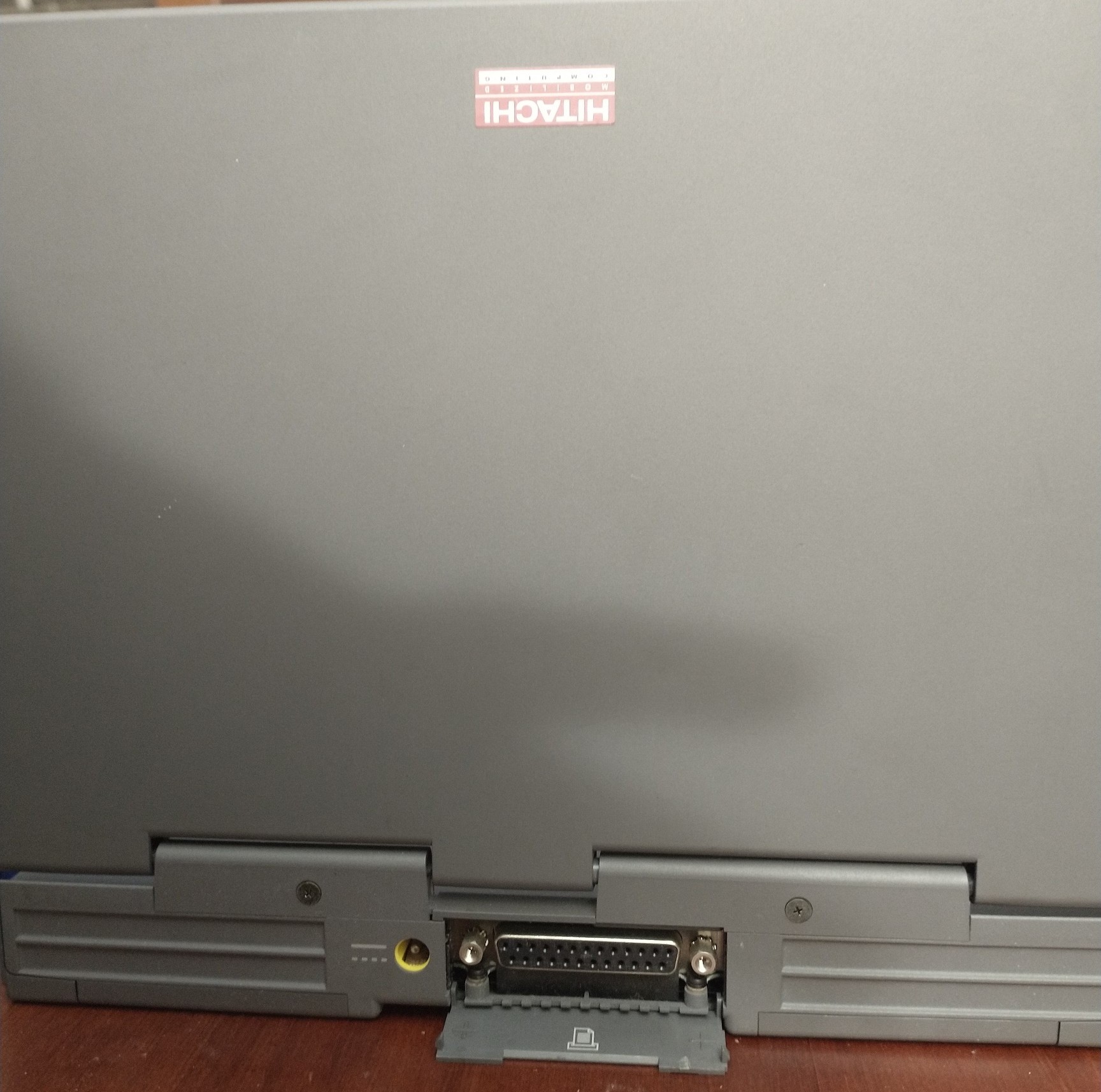
The BIOS is “IBM SurePath” on both of my Hitachi models. The BIOS Setup screen is unusual in that it can be called from anywhere by pressing Fn+F1 (similar to Fn+F3 on the ThinkPad 500). There is an additional hidden settings menu, which is accessible by pressing Ctrl+A -> Esc -> Esc and selecting “Advanced Setup”. This allows you to change settings such as floppy and hard drive type, Plug-And-Play, and APM (Advanced Power Management).
Because this laptop is based on a PCI bus and has CardBus slots, it is extremely easy to add USB Ports: simply insert a USB 2.0 CardBus card, readily available online, to get 1 or 2 ports per CardBus slot. With the proper wireless adapter and OS (I have successfully used CardBus wireless cards that support WPA2 in Windows 98, such as the Belkin F5D9010 and Netgear WG511T), you could still use a machine like this today, at least as a remote terminal.
Here are some extreme close-up pictures of the motherboard.
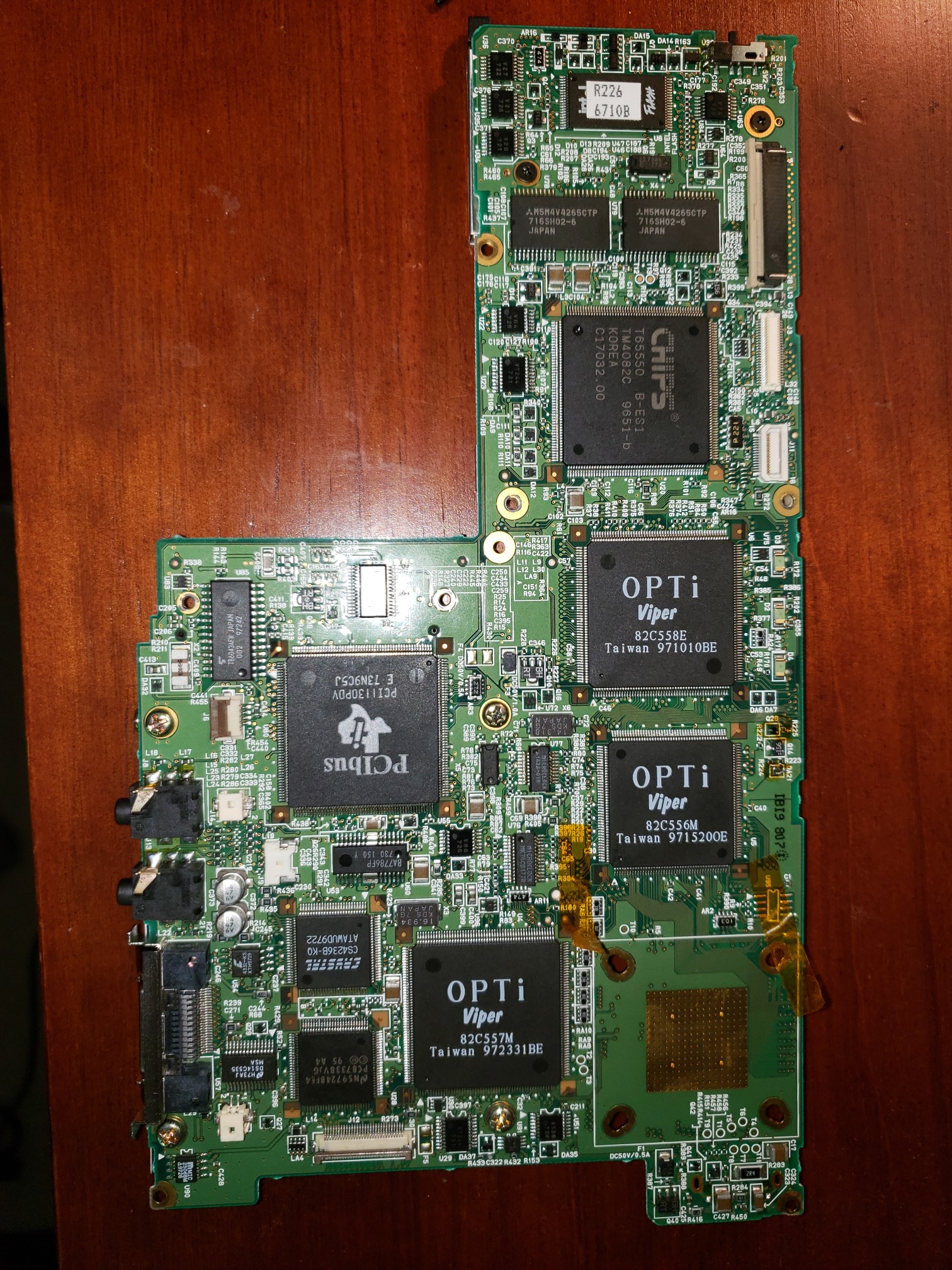
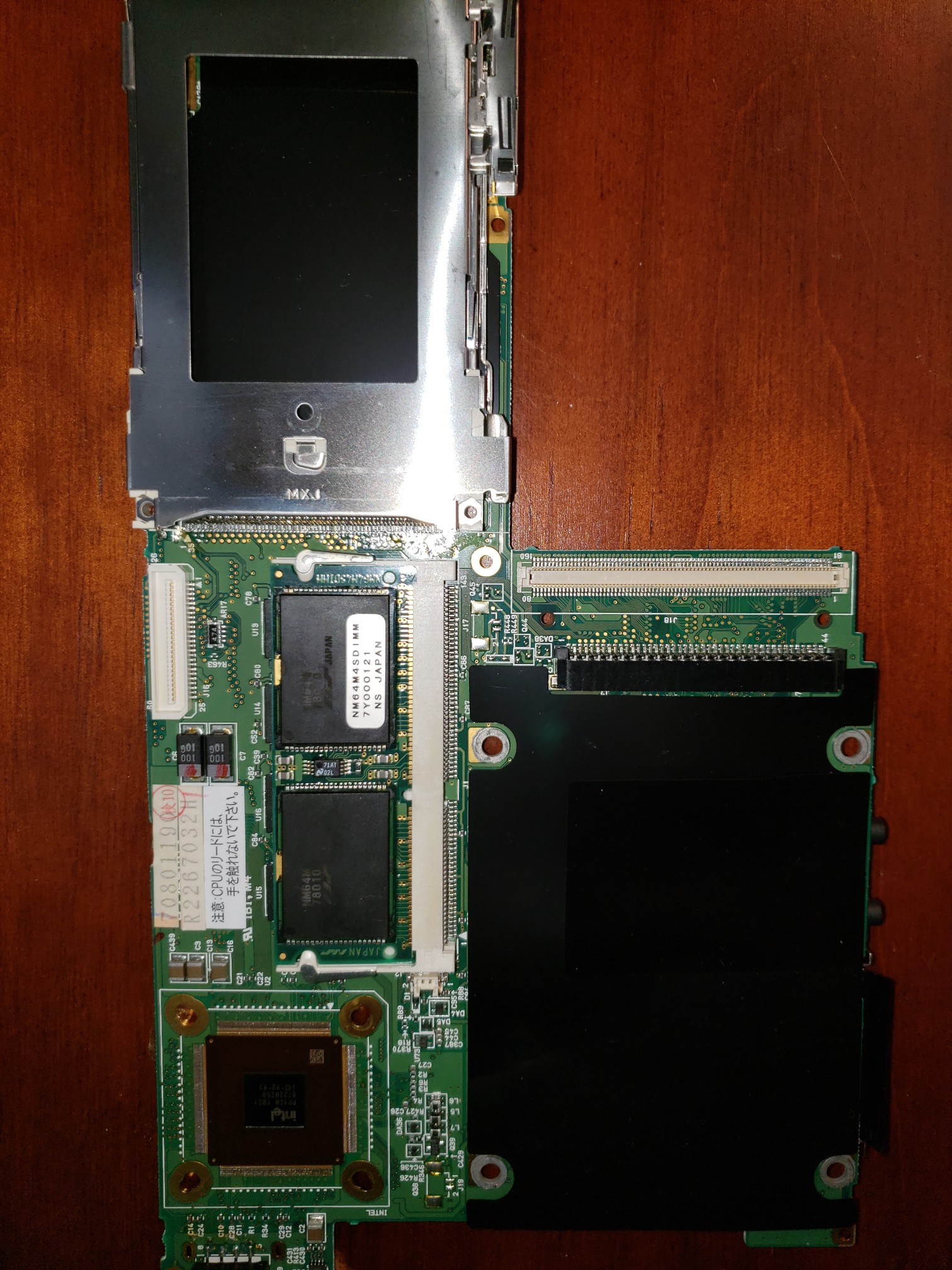
I have identified the following important chipsets:
- Viper Opti 82C557M – PCI/ISA Bus
- Intel PP128 Y821 – CPU
- PC87338VJG – IR, Floppy, Parallel
DS14C535 – Serial
PCI1130PDV – CardBus - Chips & Tech 65550 – Video
- BA7786FP – Amplifier
CS4236B-KQ – Sound
4331-KS Crystal – DAC
And finally, here is a picture of the Hitachi (center) next to a Toshiba Libretto 100CT (left) and Casio Cassiopeia Fiva (right):
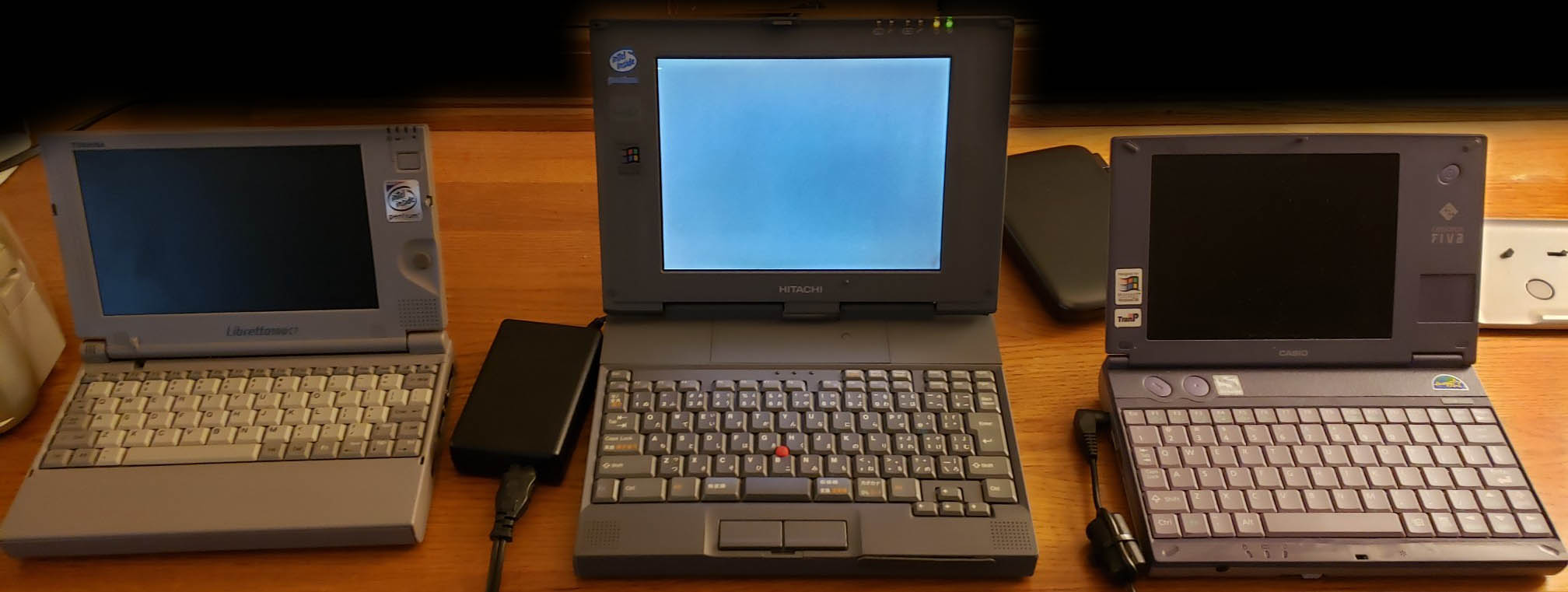
Note: While I am able to use modern SONY InfoLithium batteries in this machine (which gives me 15 Watt-Hours of runtime per battery, vs 5), the computer throttles the processor down to the lowest speed. This has the unintended side-benefit of extending my runtime even further; however, the only way I am able to run the computer at full-speed is to either 1) use the original two batteries it came with – not one, but both simultaneously – or 2) plug into AC Power.
Revised on November 23, 2022

Wondering if I can put a SSD drive to replace the old HDD inside the IBM thinkpad 235 ??
may be I go a bit crazy…
Hi, I have a same product but with another brand and model: Epson Endeavor TK-400 (on another label is says Ricoh NP-70J).
Three years ago, a friend of mine gave me this wonderful working mini laptop as a gift. After nearly two years of being shut down in the basement, I decided to take it back to use with an old program, but to my amazement, it turned on but no longer loads the operating system. The hard disk does not appear on the Bios. The cmos battery is ok and for safety, I unplugged and reconnected it for a reset, but the situation has not changed. Before opening it, I would like to know from where to download the Bios of this mini laptop because in addition to the problem just described, in the POST phase and within the BIOS menu items, there are incomprehensible words and acronyms. Hence my doubt on the probability of a corrupt Bios.
If needed, I can send photos with screenshots showing the problems.
Congratulations on your mini laptops!
I’m also having trouble finding BIOS downloads for this device. I actually managed to find the original website where they were hosted:
https://web.archive.org/web/20000902021905/http://www.ricoh.co.jp:80/chandra/chandra/cha1drvs.html
Unfortunately, most of the links are dead, and searching for the filenames themselves doesn’t get me very far.
I will try to translate and download what remains available.
In fact it is very difficult to find something for these models because they were only produced for the Asian market. Maybe I could do a search under VPN for more results.
Thanks for your invaluable help
Good evening. I have an equal model. In my case and a Hitachi PCT 210 or IBM ThinkPad 235. which is the same device with different names. I have the same problem not to recognize the HD. The original hard drive is burned and put another similar hard drive but did not recognize. I was wondering if we can exchange information. Because I really want to put in operation. My zap (51) 98luz5235719. Luiz.
I’m actually also having a similar problem now. I attempted to replace the HDD with an mSATA+IDE combination in one of my Chandras, as I have done with at least a dozen other laptops. I made sure the orientation and voltage were correct. As soon as I did this, it seems to have blown a fuse on the motherboard. Any hard drive I install no longer spins up at all. I see what appear to be a few surface-mount fuses in my motherboard close-up pictures above (for example, between the OPTI and TI Chips, Fuse “F3” is 50V/1A), but haven’t checked continuity yet to see if that might be the issue the 3 of us are having.
If you still have the original IBM batteries, can you measure the gutter size on the battery? The 235 has an array of three switches in each battery bay that are used for presence and identification. It may be that the position of the notch is different in size or position to the sony battery, which might explain the throttle down!
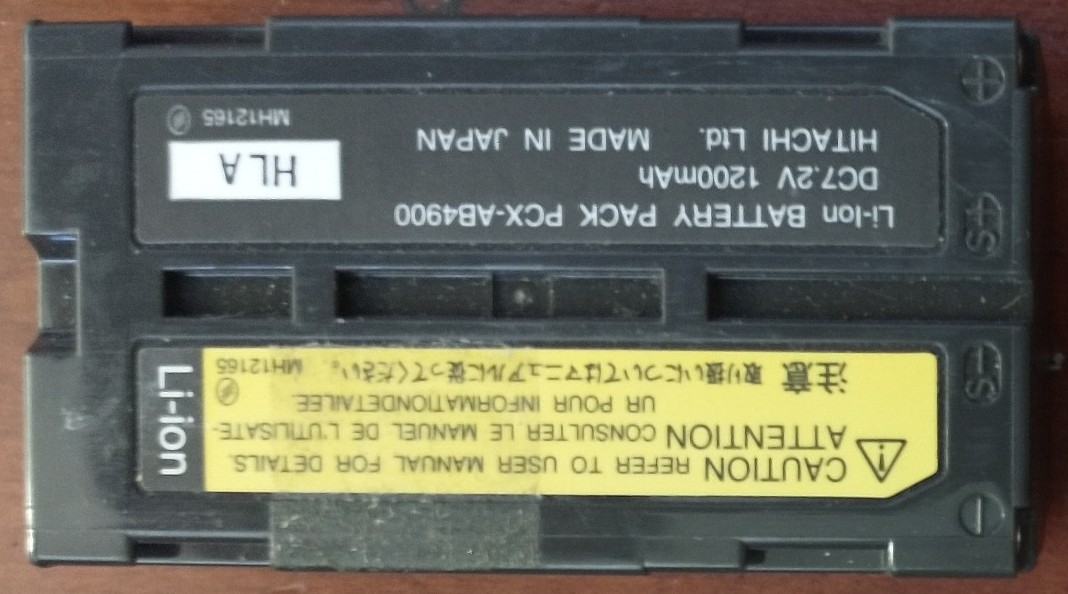
Thank you for pointing this out – This is most likely what’s happening! Both of the SONY batteries have identical keying, but it’s VERY different from the OEM battery. For reference, the battery in the photo above is the OEM battery, and the two SONY batteries I use are NP-F570 and NP-F330.
Since writing this, I managed to nab a Chandra with the original two batteries installed. The keying is *significantly* different: the original batteries have a flat face with three holes in the front between the two female power pins, none of which line up with the keying pins in the battery bay. This means the pins are held in when fully inserted and closed in. In contrast, all of my NP-F570 compatible batteries have a “gutter” that is roughly 9.5mm wide which lets all of the pins stay pushed out. I haven’t checked the clock rate, but I suspect I, too, am suffering from a throttled CPU.
I’m using a pair of [pro]master USB-C chargeable batteries that are 2600mAh in mine. These are about the only NP-F570s available these days. The downside is that they are about 10mm thicker than the original, necessitating a custom 3D printed battery cover, and the removal of the plastic pegs at the top of each battery bay.
I’m going to give a shot with covering over the gutter with a 3D printed “plug” and taking some measurements. Here’s to hoping!